Closed Purchase Orders
The system tracks all P/Os, including P/Os that have been closed.
To search for a closed P/Os, navigate to the  tab, and click on the
  icon. This will
open the Closed P/O Lookup screen.
icon. This will
open the Closed P/O Lookup screen.
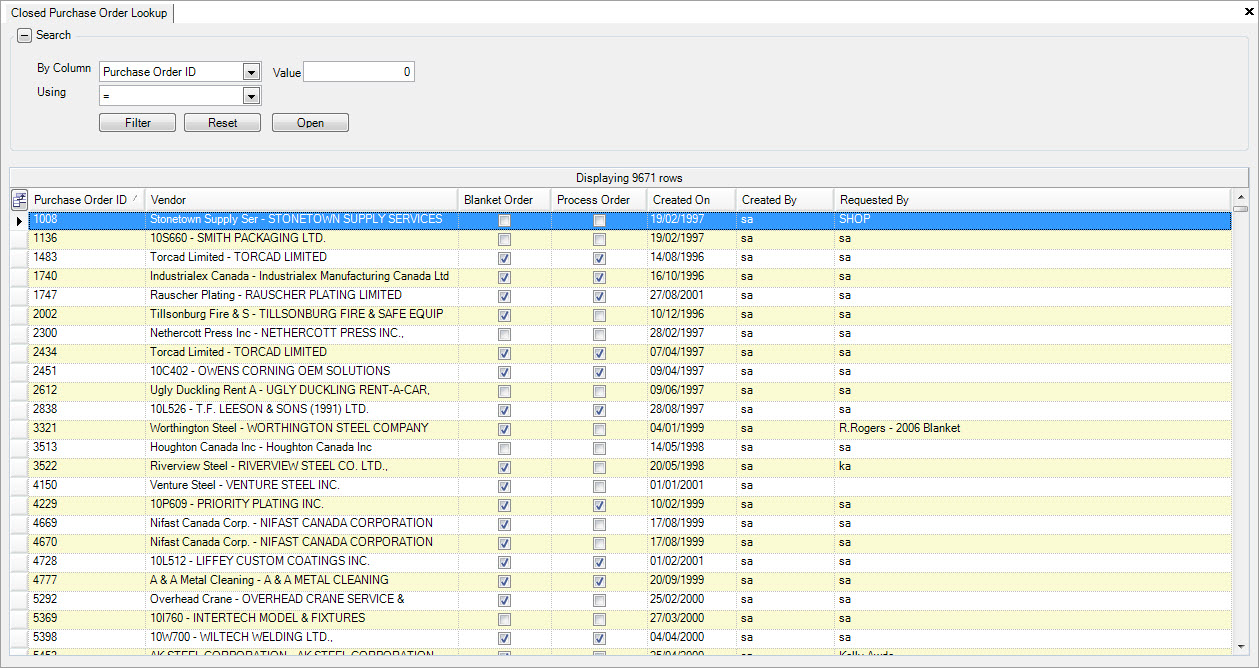
Use the search filter at the top of the screen to find the Closed P/O you wish to view. Once you have located it, you can double-click on the row to open the P/O to view additional details.